Version 7.4 and higher
A session is a reservation of time on a certain location, on which client appointments can be planned. For example: Medical laboratories where clients can undergo medical examinations such as an x-ray photo of the knee joint or an ultrasound exam during pregnancy. But also think about the dentist or the hairdresser as good examples.
To be able to offer these or similar services and meet the demands from the market, sessions are required in which resources (employees, locations and devices) can be managed. A session has a time and location, but also other properties that influence where and when appointments can be made, as well as the type or number of client appointments that can be planned. For example, it is possible to set up a ‘X-ray session’ or a ‘Pregnancy-related ultrasounds session’.
When the sessions are set up, client appointments can be planned on them via the session planning board. This can be done either manually or by means of the plan engine. In version 7.6 and later versions it is also possible to plan employees on sessions, directly on the session planning board. In previous versions this needed to be done while defining a session.
Manage sessions
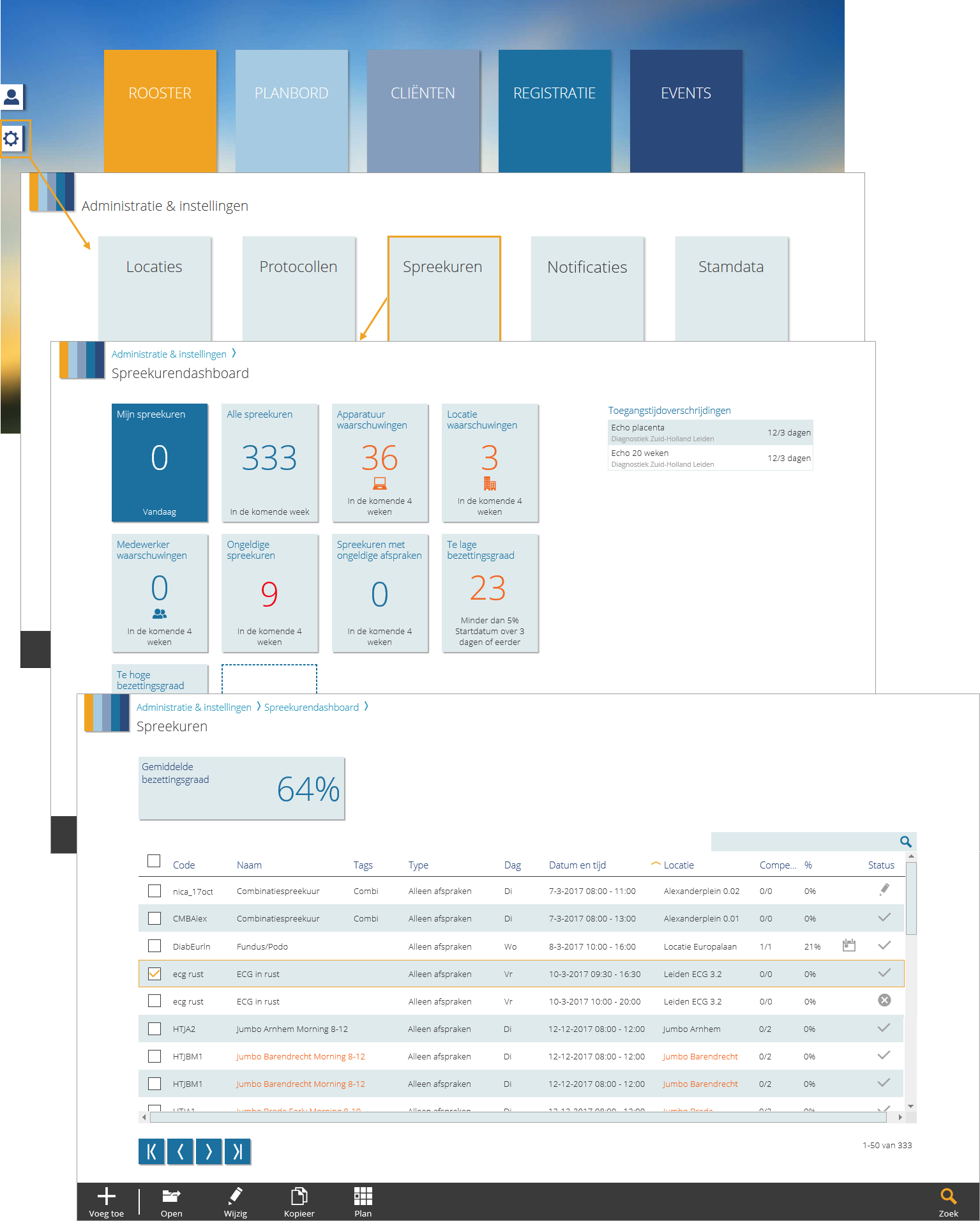
It is important to maintain the collection of sessions so that it always meets the number of client appointments that need to be planned. The ‘Sessions dashboard’ and the ‘Sessions’ page are there to provide a good overview of all the sessions and their status. These pages provide a good overview of the validation status of the sessions (are there any errors or not?) and whether there are enough sessions or not. This way it is quickly visible if any action needs to be taken.
Click on the gear icon on the story page to open the page ‘Administration & setup’. If you have the right user rights the sessions tile is visible on this page. Click on the tile to open the sessions dashboard. Different session overviews can be opened from the dashboard. From the sessions overview page, sessions can be added, edited and copied.
Required
- NextGen setting 19: ‘Session functionalities’ is set to ‘Yes’
- Classic setting C1002: ‘Session functionalities’ is set to ‘Yes’
- User right 7.14: ‘Sessions section’
- User right 21: ‘View session information’