

Version 7.4 and higher
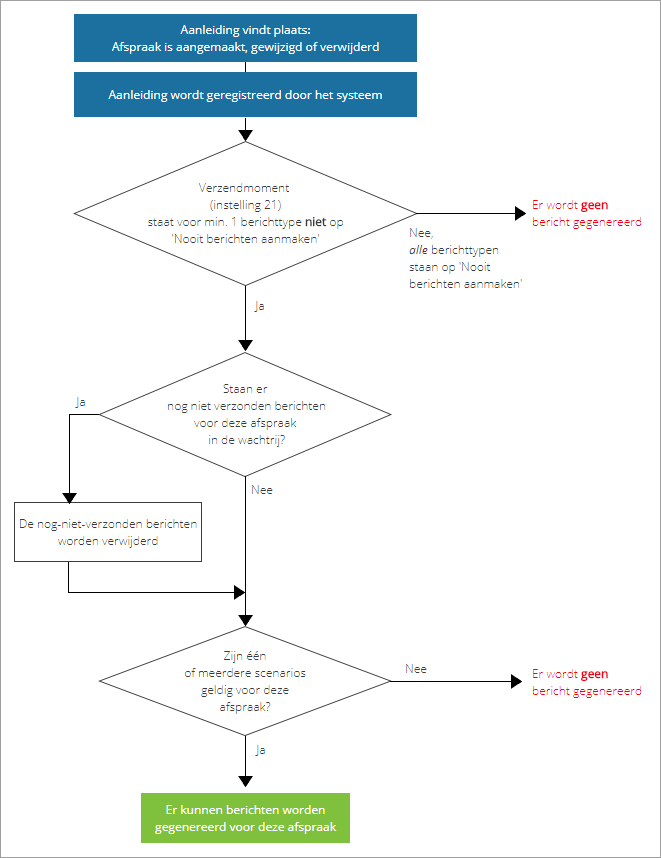
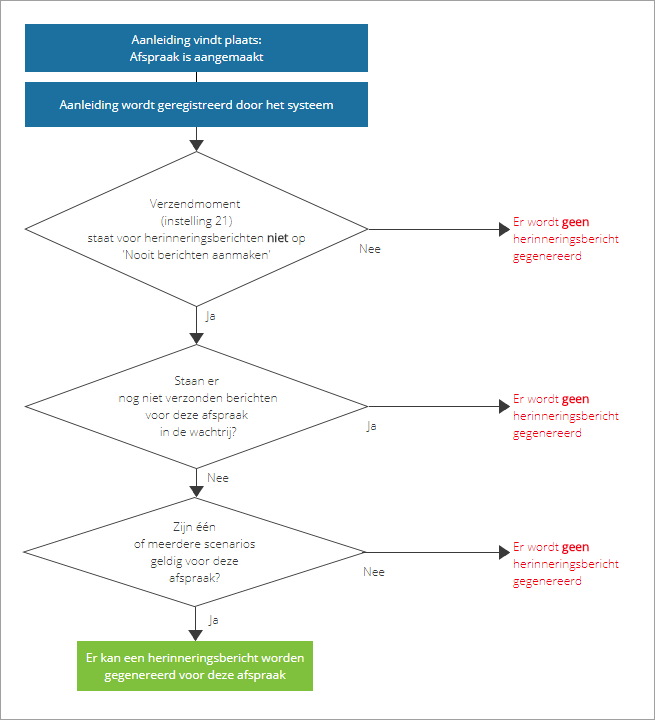
When an appointment is planned, edited or deleted, the system detects this as a signal. Subsequently, the system determines based on the following diagram whether confirmation/reminder messages need to be generated for the respective appointment. If so, the next step determines which message types (email, text message or letter) should be generated.
Step 1: Can messages be generated?
Confirmation messages
Confirmation messages are created right when an appointment is planned, edited or deleted. They are then queued for sending. All generated messages (sent or unsent) can be found in the list of pending and sent messages.
Reminder messages
Reminder messages are created right when a message is planned. However, they are sent later, often shortly before the start date of the appointment. The generated reminder messages can also be found in the list of pending and sent messages.
Step 2: Which message types will be generated?
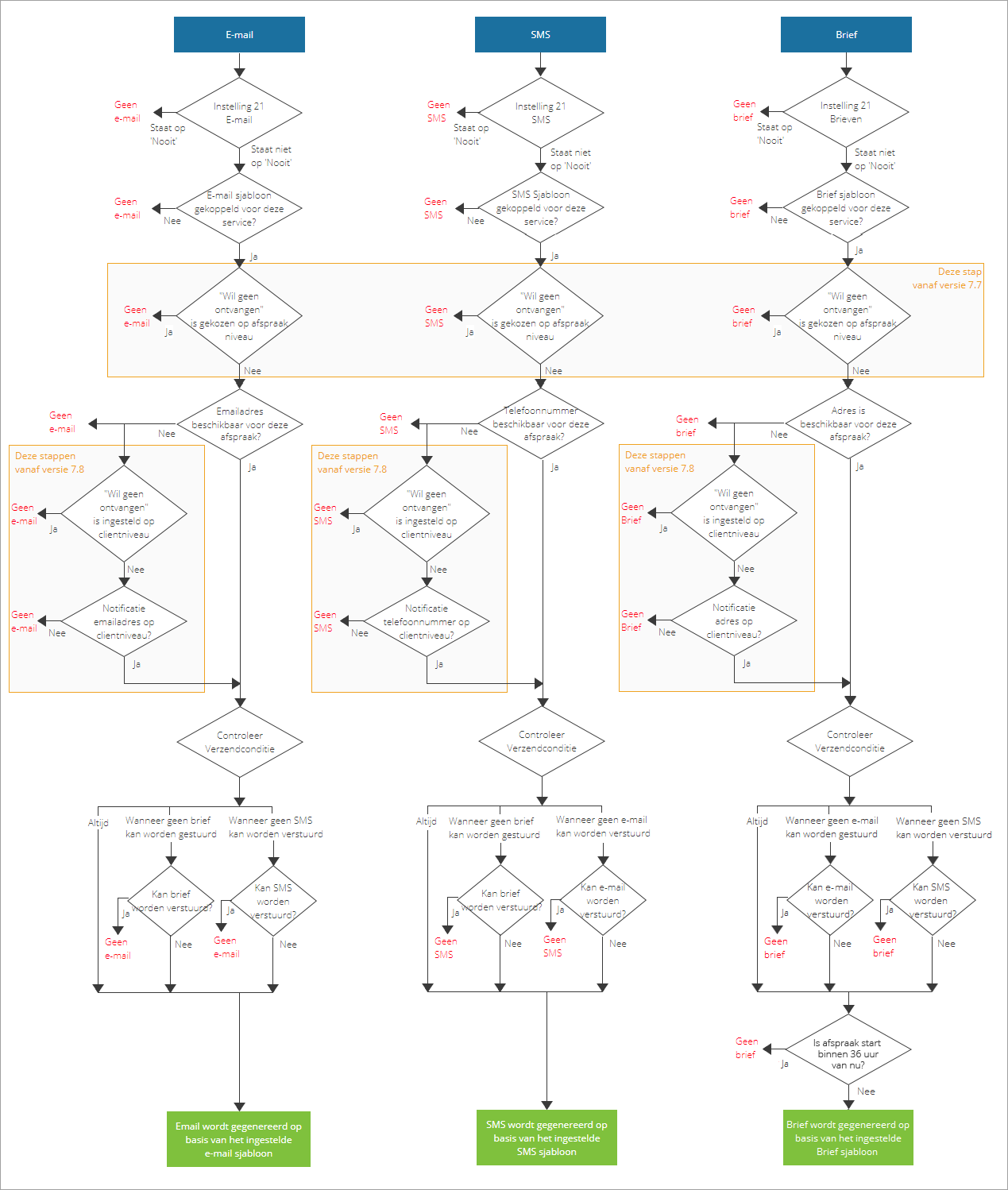
When it turns out to be possible to send messages, the next step is to determine for each valid scenario which message types can be generated. The diagram below describes per message type when a message will be generated, and when not.
Frequently asked questions
Editing an appointment right after it was created: Which message will be sent?
When you edit an existing appointment, the message that was created after the creation of the appointment might not have been sent yet. The edit action in turn might also trigger the generation of a new message. The result is then that the client receives two messages: one from the original plan action, and one from the edit action. Of course, this does not make any sense.
That is why this situation will not be regarded as an edit event, but as a create event: The scenario of the pending original message will be used again. A new message will be created with the edited information from the appointment, and the original message will be removed.
In short: Creating + editing an appointment before the ‘create message’ was sent > Only a new message with updated information, based on the create scenario, is sent.
Deleting an appointment right after it was created: Which message will be sent?
When you delete an appointment right after it was created, the confirmation message that was generated when the appointment was created might not be sent. The same could be the case for an appointment that is edited and then deleted shortly after. If messages are generated based on the delete action, the client might then receive two messages: one from the original action (plan or edit) and one from the delete action.
To prevent that from happening, the pending message will be removed.
In short: Creating/editing + deleting an appointment before the original messages are sent > Only a new message, based on the delete scenario, is sent.
Why are there no messages generated?
When everything is correctly set up and still no messages are generated, there might be something wrong with the used template. For example, a typo causes an element to be unrecognized. Also, if an element is used which no value can be found for, this will cause an error. This can happen for example when an employee-related element is used, but there is no employee planned in the appointment.
It can also be the case that the mechanism for generating messages is not correctly set up. In that case, please contact your helpdesk.