

Version 7.7 and higher
When a message is generated, it will receive a date + time from which the message can be sent. From this date and time onward the message will be available for the sending mechanism of the respective message type, for example the service which sends out text messages.
The actual sending moment depends on the configuration of the sending mechanism. For example, if the mechanism is configured to send each 15 minutes, the message will be sent 15 minutes or less after the ‘from’ moment. The way the ‘from’ moment is calculated is described below.
From when on can messages be sent?
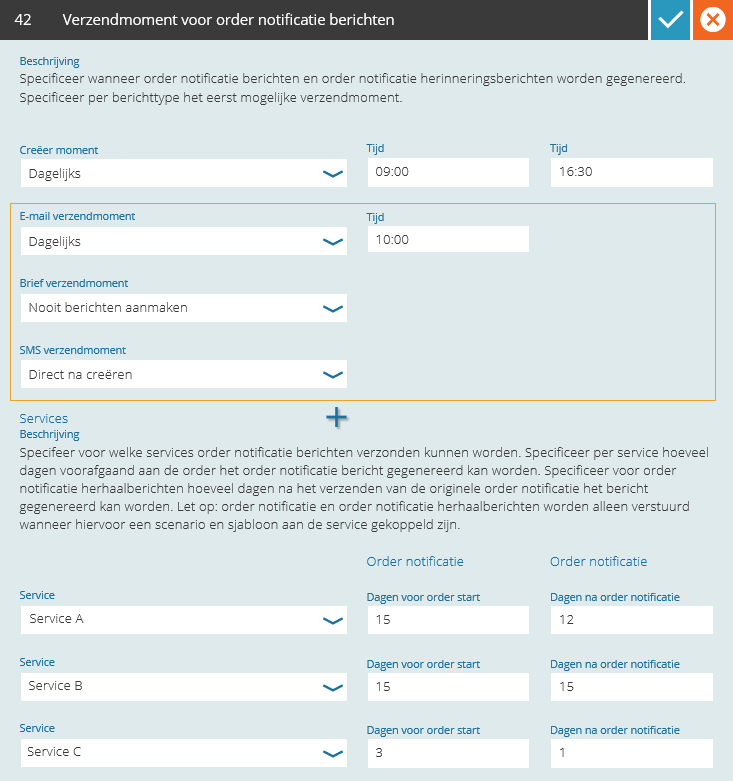
Sending moment order messages – per message type
Setting 42 defines for each message type the sending moment. The options are:
- Daily at a specific time of day
- On workdays at a specific time of day
- Directly after generating the message
- Never generate messages
Examples
- Text message is generated on the 1st of February of 2017 at 8:30
- The sending moment for text messages is set to ‘workdays at 9:00’
Sending will be possible from: Wednesday, 1st of February of 2017, at 9:00.
- Text message is generated on the 1st of February of 2017 at 16:30
- The sending moment for text messages is set to ‘workdays at 9:00’
Sending will be possible from: Thursday, 2nd of February of 2017, at 9:00.
- Text message is generated on Friday the 2nd of February of 2018 at 16:30
- The sending moment for text messages is set to ‘workdays at 9:00’
Sending will be possible from: Monday, 5th of February of 2018, at 9:00