Version 7.7 and higher
Unlike appointment notification messages, order notification messages are generated based on a configured process. The system determines based on the following diagrams whether order notification messages and order notification reminder messages can be generated. If so, the next step determines which message types (email, text message or letter) should be generated.
Step 1: Can messages be generated?
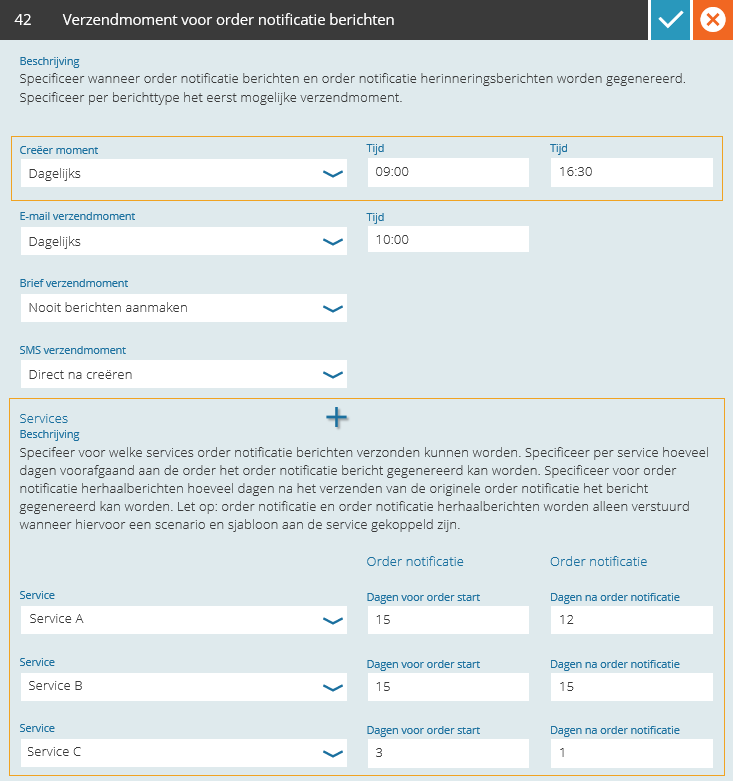
Order notification messages are generated based on a configured process. This process takes place max two times a day. The exact moments that the process takes place can be defined in setting 42 under ‘Creation moment’. In addition to the creation moment, the services which the order notification messages and the order notification reminder messages should be generated for should be defined, plus when they should be generated.
Order notification messages
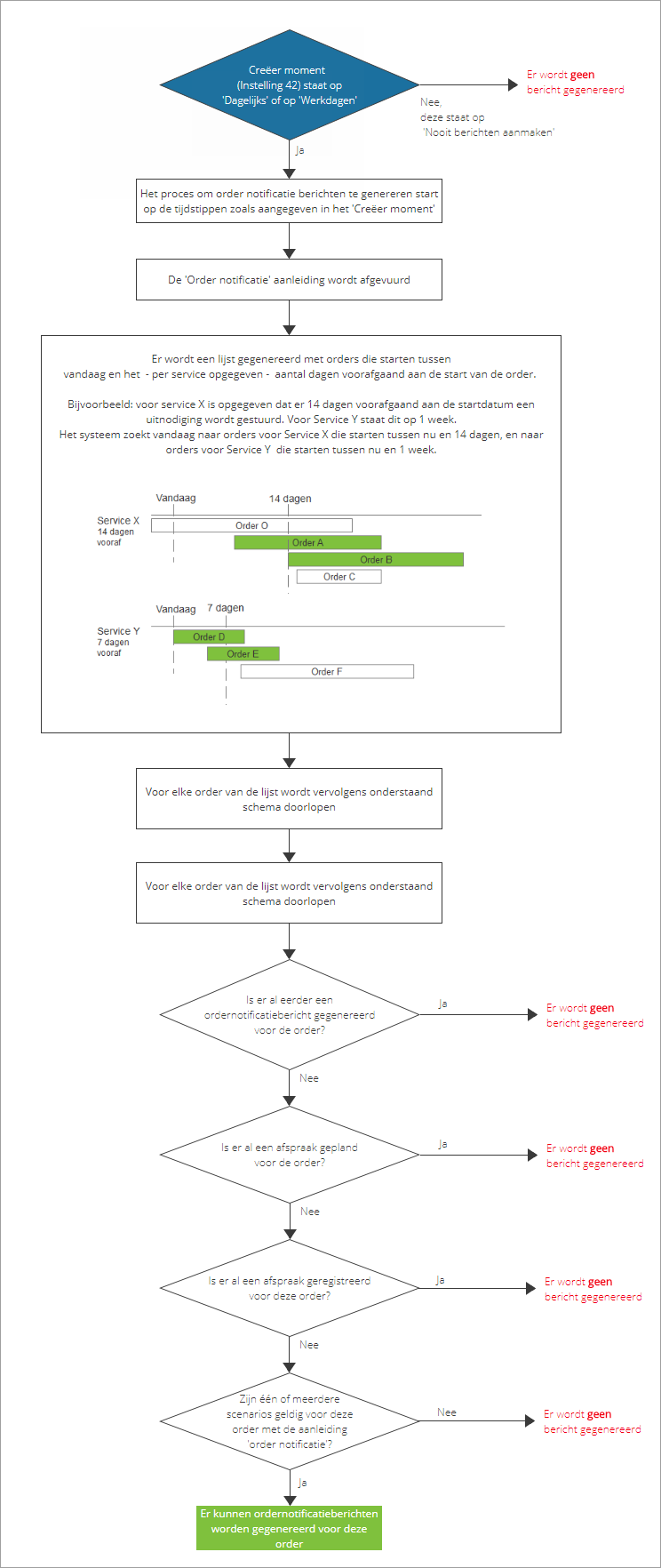
For each service is configured how many days before the start of the order-moment an order notification message can be generated. The diagram below describes for which orders-moments a message will be generated. All generated messages (sent or unsent) can be found in the list of pending and sent messages.
Order notification reminder messages
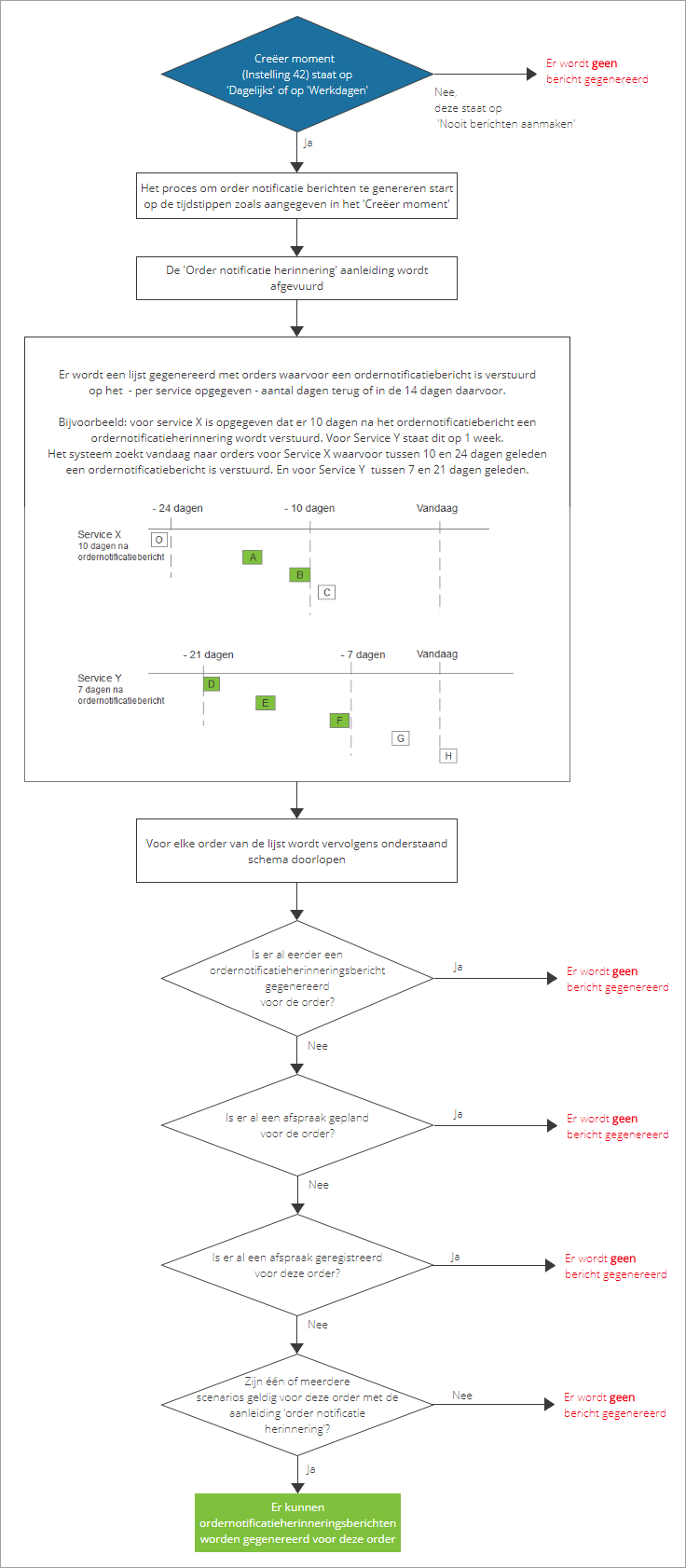
For each service is configured how many days after sending the order notification message a reminder can be generated in case the order-moment is not yet planned or registered. The system determines based on the diagram below for which orders-moments a message will be generated. All generated messages (sent or unsent) can be found in the list of pending and sent messages.
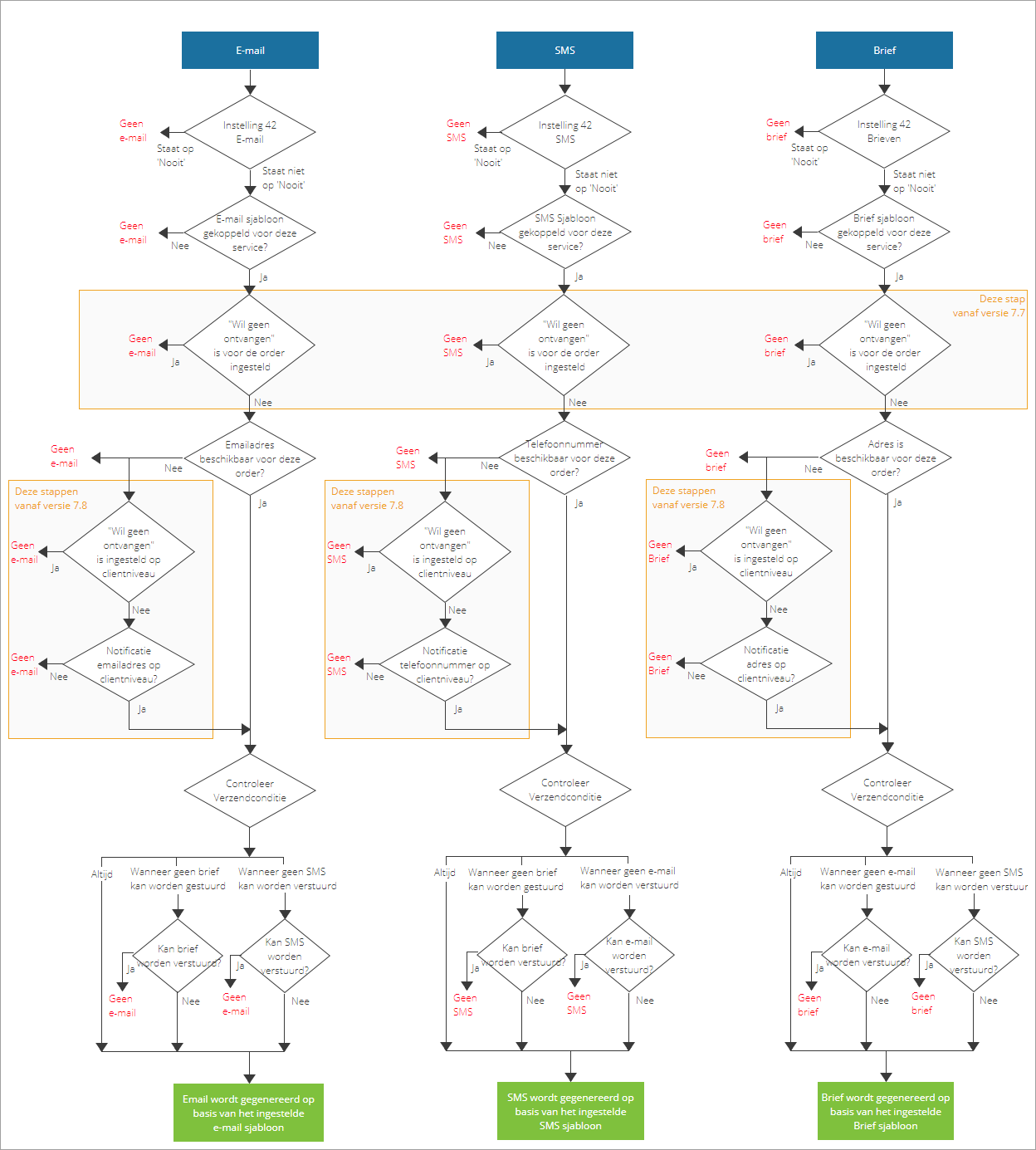
Step 2: Which message types can be generated?
When it turns out to be possible to send messages for the order-moment, the next step is to determine for each valid scenario which message types can be generated. The diagram below describes per message type when a message will be generated, and when not.